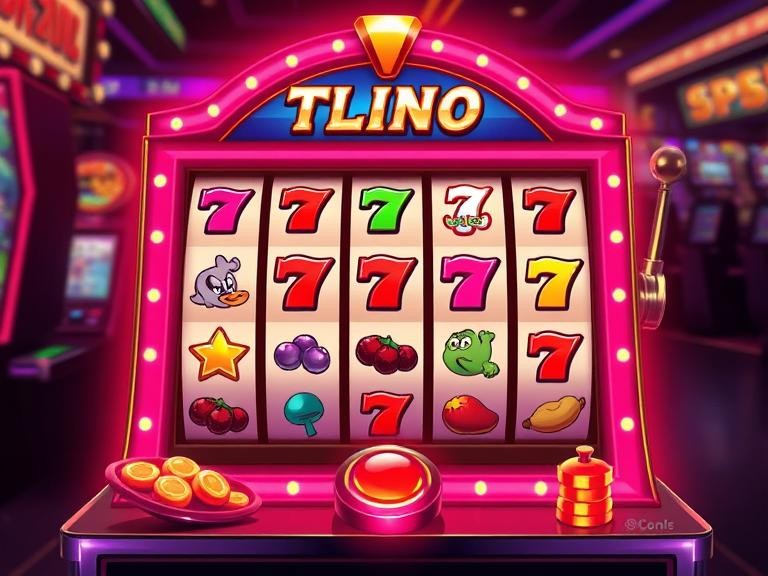
The jeetbuzz99 mobile app puts the full platform in your pocket — every game, every promotion, deposits, withdrawals, and live support. Available for Android via direct APK and for iOS through the mobile web install. Setup takes under three minutes.
jeetbuzz99 is available on Android and iOS. Both versions give you the same full platform experience — games, promotions, banking, and support.
Download the jeetbuzz99 APK directly to your Android device. No Play Store required — just enable installs from unknown sources, download the file, and you're in. The APK is verified and safe.
iPhone and iPad users can install jeetbuzz99 as a Progressive Web App (PWA) directly from Safari. It installs to your home screen and behaves exactly like a native app — no App Store, no waiting for approval.

Follow the steps for your device. Both processes take under three minutes on a standard mobile connection.
On your Android phone, open Chrome or any browser you normally use. Make sure you have a stable internet connection — Wi-Fi is ideal but 4G works fine for the download.
Navigate to this page on your phone. You'll see the Android download button clearly at the top. Tap it to start the APK download. The file is under 30 MB so it downloads quickly.
Android blocks APK installs by default. When prompted, go to Settings → Security → Install Unknown Apps and enable it for your browser. This is a one-time step and you can turn it off again after installing.
Once the download finishes, tap the notification or find the file in your Downloads folder. Tap the APK file to begin installation. Android will show you a permissions summary — tap Install.
The install takes about 15–30 seconds. You'll see a confirmation screen when it's done. Tap Open to launch jeetbuzz99 immediately, or find the app icon on your home screen.
If you already have a jeetbuzz99 account, log in with your credentials. New users can register directly inside the app — it takes under two minutes and you'll have full access immediately after.
The jeetbuzz99 APK is scanned and verified before each release. Only download from jeetbuzz99.org — do not install APK files from third-party sites or unofficial sources.
The PWA install only works through Safari on iOS. If you're using Chrome or another browser, switch to Safari first. Open Safari and go to jeetbuzz99.org.
Go to jeetbuzz99.org/download in Safari. The page will detect that you're on iOS and show the iOS install instructions automatically.
At the bottom of Safari, tap the Share icon — it looks like a box with an arrow pointing upward. This opens the iOS share sheet with a list of actions.
Scroll through the share sheet options and tap "Add to Home Screen." You'll see a preview of the jeetbuzz99 icon and name. Tap "Add" in the top right corner to confirm.
The jeetbuzz99 icon will appear on your iPhone home screen just like any other app. Tap it to launch the platform in full-screen mode without the Safari browser bar.
Log in with your existing jeetbuzz99 account or register a new one. The PWA remembers your session so you won't need to log in every time you open the app.
If you don't see "Add to Home Screen" in the share sheet, scroll down in the list — it's sometimes below the visible area. This option is only available in Safari, not in Chrome or Firefox on iOS.

The mobile app isn't a stripped-down version of the site. Everything available on desktop is available on the app — and a few things work better on mobile.
Every game in the jeetbuzz99 catalogue is available on the app — slots, live casino, sports betting, and the full Exclusive section including Honor of Zuma, Lucky Neko, and Plants vs Dino.
The app caches core assets locally so games load faster than the mobile browser version. On a standard 4G connection, most games are ready in under five seconds.
Get notified the moment a new promotion goes live, when your withdrawal is processed, or when a limited-time offer is available. You won't miss a bonus again.
Deposit and withdraw directly from the app using bKash, Nagad, Rocket, and bank transfer. The banking interface is optimised for one-handed mobile use.
The live chat support is built into the app. Tap the support icon from any screen to connect with the jeetbuzz99 support team — available around the clock.
All active promotions are visible and claimable from the app. Some mobile-exclusive offers are only available to app users — another reason to install rather than play through the browser.
On supported Android devices, you can log in using fingerprint authentication. No need to type your password every time — just tap and you're in.
The app uses the Royal Navy Bronze theme natively — dark background, gold accents, easy on the eyes during long sessions. No separate dark mode toggle needed.
The app checks for updates automatically when you open it. When a new version is available, you'll get a prompt to update with a single tap — no manual APK re-download needed.
The jeetbuzz99 app is built to run well on the devices most commonly used in Bangladesh — including mid-range Android handsets. Here's what you need for each platform.
| Requirement | Android | iOS |
|---|---|---|
| OS Version | Android 6.0+ | iOS 13.0+ |
| RAM | 2 GB minimum | 2 GB minimum |
| Storage | 50 MB free | Minimal (PWA) |
| Internet | 3G / 4G / Wi-Fi | 3G / 4G / Wi-Fi |
| Install Method | APK direct download | Safari PWA |
| App Store | Not required | Not required |
| Biometric Login | Supported | Face ID supported |
| Push Notifications | Yes | Yes (iOS 16.4+) |
These are real-world performance figures measured on common devices used by jeetbuzz99 members in Bangladesh.
Benchmarks measured on a Xiaomi Redmi 10 (Android) and iPhone SE 3rd gen (iOS) on a standard Grameenphone 4G connection. Results may vary by device and network conditions.
If you look at how people actually use jeetbuzz99 in Bangladesh, the pattern is pretty clear — the majority of sessions happen on a phone. That's not surprising given how most people here access the internet, but it does mean the mobile experience has been a priority from the start rather than an afterthought.
The app was built with the realities of mobile internet in Bangladesh in mind. Sessions get interrupted. Connections drop. You might be on 3G in one area and 4G in another. The jeetbuzz99 app handles these transitions gracefully — if your connection drops mid-session, the app reconnects automatically and picks up where you left off rather than kicking you out and losing your game state.
Data usage was another consideration. At roughly 35 MB per hour of gameplay, the app is efficient enough that you can get a solid session in without burning through your mobile data allowance. The game assets are cached after the first load, so repeat sessions on the same game use significantly less data than the first time.
Some players prefer to just open jeetbuzz99.org in their phone's browser rather than installing the app. That works fine — the site is fully responsive and all features are accessible through the browser. But there are a few practical differences worth knowing about.
The app loads faster on repeat visits because it caches assets locally. The browser version re-downloads more content on each visit, which adds a few seconds to load times — noticeable on slower connections.
Push notifications only work through the app. If you want to be alerted when a new promotion drops or your withdrawal is ready, you need the app installed. The browser version can't send push notifications.
Certain promotions on jeetbuzz99 are only available to app users. These are separate from the standard promotions visible on the Promotions page and are delivered directly through the app.
Fingerprint and Face ID login are only available through the app. If you log in through the browser, you'll need to enter your password every time.
The jeetbuzz99 app updates regularly — usually once or twice a month — with performance improvements, new game additions, and occasional new features. The update process is straightforward: when you open the app and a new version is available, you'll see a prompt at the top of the screen. Tap "Update Now" and the new APK downloads and installs automatically. You don't need to go back to the download page each time.
If you ever need to reinstall from scratch — for example, if you get a new phone — just come back to this page and download the latest APK. Your account data is stored server-side, so reinstalling the app doesn't affect your balance, history, or bonuses.
Set time and deposit limits in your account settings. Visit Responsible Gaming for tools and support. 18+ only.

Install the app in under three minutes, register your free account, and get access to the full jeetbuzz99 platform — games, promotions, and 24/7 support.
18+ only. Please play responsibly. Responsible Gaming · Terms and Conditions